Published date 14th Oct, 2026
- Building a food delivery app starts with defining the target market, business model, revenue strategy, niche, and MVP scope.
- The development approach should balance cost, speed, customization, scalability, integrations, security, and long-term maintenance.
- Core functionality includes payment gateways, GPS tracking, notifications, order management, backend APIs, and connected user interfaces.
- Restaurants, delivery partners, and administrators need dedicated tools to manage orders, deliveries, operations, payments, and platform activity.
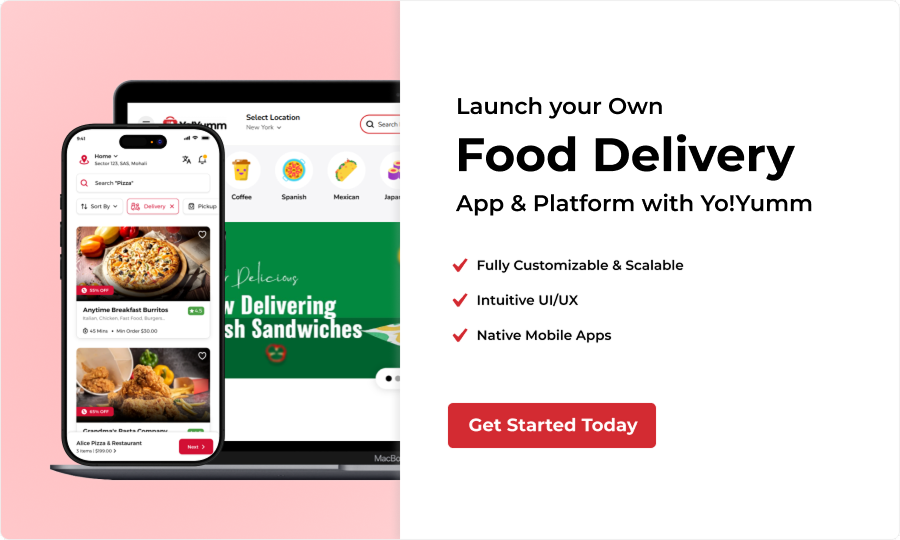
- Testing and an MVP-first launch help validate the business before adding advanced capabilities such as subscriptions, loyalty, and automated dispatch. A readymade solution such as Yo!Yumm can also support this launch.
With technological advancements, the way people order food has changed significantly. Smartphones, online payments, GPS technology, and real-time delivery tracking have become an integral part of everyday life. This opens doors to significant opportunities for foodpreneurs and encourages them to enter the online food delivery industry.
However, to make an intuitive food delivery app, you need to plan the business model, identify your target market, design an intuitive food ordering experience, develop the required mobile and web applications, integrate payment and location services, and create systems for restaurant and driver management.
Whether you want to build a local restaurant delivery app, a niche food ordering platform, or a large marketplace similar to major food delivery services, the development process generally follows a similar structure.
This blog will help you understand how you can take your food delivery app idea to launch.
Table of Contents
- Define Your Food Delivery App Idea and Business Model
- Choose the Right Technology and App-Building Approach
- Design the Customer Ordering Experience
- Build the Core Food Delivery App Features
- Create Restaurant, Driver, and Admin Management Interfaces
- Test, Launch, and Improve Your Food Delivery App
- Yo!Yumm: A Readymade Solution for Food Delivery Marketplaces
- Final Thoughts
1. Define Your Food Delivery App Idea and Business Model
Before investing in food delivery app development, you need to clearly define marketplace scope, target user base, and monetization strategy.
Start by researching your target market and identifying a specific problem your food delivery app can solve. For example, you may want to help customers discover local restaurants, provide faster delivery in underserved areas, offer healthy meal options, or create a specialized platform for corporate food orders.
Consider the following:
- Your target customers and geographic location
- Restaurants, cafes, cloud kitchens, or other food businesses you want to partner with
- Your delivery model and delivery zones
- Your food delivery app business model
- Your revenue strategy
- Your competitive advantage
- Your customer acquisition strategy
- Your estimated operating costs
- The core problem your app will solve
Choose a Food Delivery Business Model
Your business model will influence the features, technology, and operational structure of your app. Common revenue models include restaurant commissions, customer delivery fees, subscription plans, advertising, featured restaurant listings, and service charges.
For example, a marketplace model can allow multiple restaurants to list their menus while the platform manages customer orders and delivery logistics. Another option is a restaurant-owned delivery app that focuses on orders for a single restaurant or restaurant chain.
You should also decide whether you want to create a broad food marketplace or focus on a specific niche, such as:
- Local restaurants
- Healthy and organic food
- Vegan or vegetarian meals
- Corporate catering
- Grocery and meal delivery
- Specialty cuisines
- Cloud kitchens
- Late-night food delivery
- Subscription-based meal services
Define Your Food Delivery App MVP
You do not need to build every possible feature during the first development phase. Instead, define a food delivery app MVP (Minimum Viable Product) containing only the essential functionality needed to test your business idea.
A typical MVP should allow customers to find restaurants, browse menus, add food to a cart, place an order, make a payment, and track the order. Restaurants should be able to receive and manage orders, while delivery partners should be able to accept deliveries and update delivery status.
Goal: Create a clear business plan, identify your target audience, select a revenue model, and define the core features required for your food delivery app MVP.
2. Choose the Right Technology and App-Building Approach
Once you have defined your food delivery business model, the next step is choosing how you will build and launch the platform. Your options broadly fall into two approaches: custom food delivery app development and readymade food delivery software.
The right approach depends on your budget, launch timeline, technical requirements, desired level of customization, scalability plans, and ongoing maintenance capabilities.
Custom Food Delivery App Development
Custom development involves building the food delivery platform specifically around your business requirements. You can work with an in-house team, freelancers, or a professional food delivery app development company to develop customer, restaurant, delivery partner, and admin interfaces from the ground up.
This approach can be suitable when you need highly customized workflows, advanced functionality, complex third-party integrations, or specific architectural requirements. However, it generally requires greater development resources, longer implementation timelines, and ongoing technical maintenance.
Readymade Food Delivery Software
Readymade food delivery software provides pre-built functionality for launching an online food ordering and delivery marketplace. Solutions such as Yo!Yumm provide core marketplace capabilities, reducing the amount of development required before launch.
This approach can be useful for entrepreneurs who want to validate their business idea, launch an MVP faster, or avoid building every core component from scratch. Depending on the software, businesses can also customize branding, workflows, features, integrations, and other platform elements to align with their requirements.
Comparison: Custom Development & Readymade Software
| Criteria | Custom Development | Ready-Made Software |
| Development Approach | Built from scratch. | Uses pre-built functionality. |
| Development Time | Longer implementation. | Faster time to market. |
| Initial Investment | Higher upfront cost. | Lower development effort. |
| Customization | Extensive customization. | Customization within platform capabilities. |
| Technology Stack | Selected for specific requirements. | Based on the software architecture. |
| Core Features | Developed as required. | Core features are pre-built. |
| Third-Party Integrations | Built for specific requirements. | Depends on supported integrations. |
| Scalability | Architecture designed for growth. | Depends on platform architecture. |
| Maintenance | Managed by the business or development partner. | Depends on vendor support. |
| Security | Implemented according to requirements. | Depends on provider and architecture. |
| MVP Launch | Requires development and testing. | Faster with pre-built features. |
| Long-Term Control | Greater architectural control. | Depends on customization options. |
Goal: Choose a technology and development approach that balances development cost, speed, scalability, customization, security, and long-term maintenance.
Build Your Food Delivery Business With Ready-Made Software
3. Design the Customer Ordering Experience
The customer-facing experience is central to any food ordering app. Users should be able to discover restaurants, browse menus, customize meals, place orders, make payments, and track deliveries without unnecessary complexity.
Before development begins, create the complete customer journey and determine how users will move through each stage of the ordering process.
Important screens typically include:
- Sign-up and login
- Phone or email verification
- Location selection
- Home screen
- Restaurant discovery
- Search and filters
- Restaurant profiles
- Digital menus
- Food item details
- Food customization
- Shopping cart
- Address management
- Delivery instructions
- Checkout
- Payment
- Order confirmation
- Real-time order tracking
- Order history
- Ratings and reviews
- Customer support
Focus on Food Delivery App UI/UX
A well-designed food delivery app UI/UX can influence customer satisfaction and conversions. Restaurant information, delivery times, ratings, minimum order requirements, menus, and pricing should be presented clearly. Food images should also be visually appealing, while key actions such as Add to Cart and Place Order should remain easy to find.
The checkout process should also be straightforward. Customers should be able to select a delivery address, review their order, choose a payment method, apply promotional codes, and confirm the order with minimal steps.
Personalization and Discovery
As your platform grows, you can improve the customer experience with personalized restaurant recommendations, recently ordered meals, favorite restaurants, search history, location-based suggestions, and customized promotions, helping users find suitable options faster.
You can also add filters for cuisine, price, delivery time, ratings, dietary preferences, and offers to simplify restaurant and food discovery.
Goal: Create a fast, intuitive, and mobile-friendly customer journey that makes browsing, ordering, paying, and tracking food simple.
4. Build the Core Food Delivery App Features
Once the customer experience is defined, the next step is to implement the core functionality that powers the food delivery platform. The system should support the complete order lifecycle, from restaurant discovery and cart creation to payment, restaurant acceptance, driver assignment, delivery, and order completion.
Your MVP may include:
- User registration and login
- User profile management
- Restaurant listings
- Restaurant search
- Food search and filtering
- Digital menu management
- Food item customization
- Shopping cart
- Checkout
- Multiple payment methods
- Online payment gateway integration
- Delivery address management
- GPS and location services
- Order placement
- Restaurant order management
- Driver assignment
- Order status updates
- Real-time delivery tracking
- Push notifications
- Ratings and reviews
- Promotional codes
- Order history
- Customer support
Payment Gateway Integration
A reliable payment gateway should support locally preferred methods such as cards, digital wallets, and bank transfers. The workflow should also handle failed payments, confirmations, refunds, cancellations, and transaction records.
GPS and Real-Time Tracking
GPS integration helps restaurants and delivery partners identify customer locations while enabling real-time order tracking. Mapping and navigation services can also support efficient delivery routes.
Push Notifications
Push notifications keep customers, restaurants, and delivery partners updated throughout the order lifecycle. Customers can receive alerts for:
- Order placement
- Restaurant acceptance
- Food preparation
- Pickup readiness
- Driver assignment
- Driver arrival
- Order delivery
Restaurants and delivery partners can receive alerts for new orders, delivery requests, and status changes.
Backend and API Development
The backend connects and manages users, restaurants, menus, orders, payments, delivery partners, promotions, and notifications. APIs connect the customer app, restaurant dashboard, delivery app, and admin panel, keeping data synchronized.
Goal: Build the core technology required to move an order from restaurant discovery to successful delivery while keeping customers, restaurants, delivery partners, and administrators connected.
Empower Your Food Delivery App With The Essential Feature Set
5. Create Restaurant, Driver, and Admin Management Interfaces
A food delivery platform extends beyond the customer-facing app. Dedicated interfaces for restaurants, delivery partners, and administrators are essential for managing the operational side of your restaurant delivery app.
Restaurant Management Interface
Restaurants need a centralized dashboard to manage menus, process orders, and monitor their operations.
Key Capabilities Include:
- Create and update menus
- Add food images and descriptions
- Manage prices and availability
- Receive, accept, or reject orders
- Update preparation status
- View customer instructions
- Manage business information
- Review order history
- Monitor sales and order data
A centralized restaurant dashboard can simplify order management and reduce operational complexity.
Driver or Delivery Partner App
Delivery partners need a dedicated app to manage delivery requests and complete orders efficiently.
Key Capabilities Include:
- Create profiles and submit required information
- Set availability
- Accept or reject delivery requests
- View pickup and delivery locations
- Use GPS navigation
- Update delivery status
- Contact customers when required
- View completed deliveries
- Track earnings
Real-time driver location can also enable customers to monitor delivery progress.
Admin Dashboard
An admin dashboard gives the platform owner centralized control over the entire food delivery system.
Administrators may need to manage:
- Customers and user accounts
- Restaurants and approvals
- Delivery partners and approvals
- Orders and payments
- Refunds and promotions
- Reviews and complaints
- Delivery zones and commissions
- Platform analytics
The admin dashboard can also provide insights into revenue, order volume, customer activity, restaurant performance, delivery times, cancellations, and other important business metrics.
Goal: Build connected customer, restaurant, driver, and admin systems that allow every participant in the food delivery ecosystem to complete their responsibilities efficiently.
6. Test, Launch, and Improve Your Food Delivery App
Before launching your food delivery app, conduct extensive testing across the entire ordering and delivery workflow. Since multiple systems work together, an issue with payments, notifications, or driver assignment can affect the entire customer experience.
Test the Core Customer Journey
Your QA process should cover:
- Registration and login
- Authentication
- Restaurant discovery
- Search and filters
- Menu browsing
- Food customization
- Cart and checkout
- Payment processing and refunds
- Order cancellation
- Restaurant order acceptance
- Driver assignment
- GPS and real-time tracking
- Push notifications
- Delivery completion
- Ratings and reviews
Test the app across different devices, screen sizes, operating systems, and network conditions.
Security and Performance Testing
Security is critical when handling customer information, addresses, payment details, and transaction data. Performance testing should also ensure the platform remains responsive as user and order volumes increase.
Monitor:
- Application loading speed
- API response times
- Database performance
- Server reliability
- Payment processing
- Location tracking
- Notification delivery
- Data security
- Authentication
- Error handling
Launch an MVP First
Instead of launching across an entire country or serving thousands of restaurants immediately, consider starting with a specific geographic area. An MVP launch allows you to validate the business model, understand customer behaviour, identify operational issues, and gather feedback before scaling.
Monitor metrics such as:
- App downloads and registrations
- Restaurant registrations
- Orders per customer
- Average order value
- Order completion and cancellation rates
- Delivery time
- Customer acquisition cost
- Customer, restaurant, and driver retention
- Driver utilization
Use these insights to prioritize future improvements and feature development.
Add Advanced Features After Launch
Once your MVP is stable and the business model is validated, you can introduce advanced functionality such as:
- Loyalty and rewards
- Subscription plans
- Scheduled delivery
- Personalized recommendations
- AI-powered customer support
- Referral programs
- Restaurant advertising
- Advanced analytics
- Dynamic delivery pricing
- Automated driver dispatch
- Multi-language and multi-currency support
- Corporate accounts and group ordering
These additions can support customer retention, increase order frequency, and create new revenue opportunities.
Goal: Validate your food delivery platform through testing and an MVP launch, then use real-world data to improve functionality and scale the business.
Turn Your Food Delivery MVP Into a Marketplace
Yo!Yumm: A Readymade Solution For Food Delivery Marketplaces
Yo!Yumm is a self-hosted, white-label food delivery software that works as a technical foundation for building a branded online food ordering and delivery marketplace, with functionality designed for customers, restaurants, delivery partners, and administrators.
The solution provides core functionality for restaurant listings, menu management, ordering, payments, delivery management, and customer interactions, reducing the need to develop these components from scratch.
1. White-Label and Customizable
Yo!Yumm provides a white-label foundation that businesses can launch under their own branding and customize according to their marketplace requirements, making it suitable for entrepreneurs targeting different food delivery niches and markets.
2. Multi-Restaurant Marketplace
Yo!Yumm enables foodpreneurs to build an online food delivery marketplace where multiple restaurants can showcase their menus and receive customer orders through a centralized platform.
3. Customer Ordering Experience
The platform supports essential customer workflows, including restaurant discovery, menu browsing, food selection, cart management, checkout, payments, and order tracking for a streamlined ordering experience.
4. Restaurant Management
Restaurant partners can manage menus, food items, pricing, availability, incoming orders, and other business information through dedicated management tools designed to simplify daily operations.
5. Delivery Partner Management
Delivery partners can access tools for managing delivery requests, pickup and delivery requests, pickup and delivery locations, order statuses, and navigation, helping coordinate the delivery process between restaurants and customers.
6. Payments and Order Tracking
The solution supports essential food delivery workflows such as online payments, order status updates, GPS-based functionality, and real-time tracking, helping businesses manage orders from checkout through successful delivery.
See Yo!Yumm in Action
Final Thoughts
Learning how to make a food delivery app requires both technical planning and a strong understanding of the food delivery business. The customer application is only one part of the overall system. A successful platform also needs restaurant management tools, a driver application, an admin dashboard, secure payment processing, GPS functionality, real-time order tracking, notifications, and a reliable backend.
The best approach is to begin with a clearly defined food delivery app MVP. Identify your target customers, choose a practical business model, design a simple ordering experience, develop the core features, connect restaurants and delivery partners, and test the entire workflow before launch.
With the right strategy, technology stack, development approach, and continuous optimization, you can turn a food delivery app idea into a scalable online food ordering business.
Ready to Build Your Multi-Restaurant Food Delivery App?
Contact Us